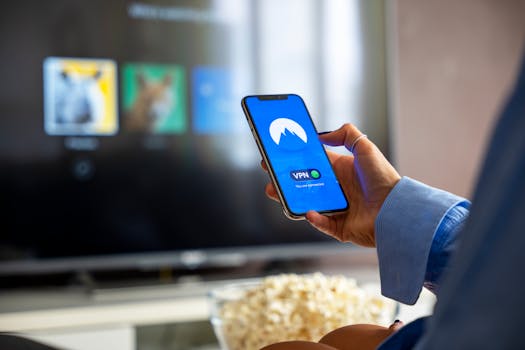
Streaming services have transformed the way we consume movies, TV shows, live sports, and music. With just a click, we can access vast libraries from platforms like Netflix, Hulu, Disney+, and Spotify. However, streaming quality and speed can be affected by multiple factors—network congestion, ISP throttling, and regional content restrictions, to name a few. This is where Virtual Private Networks (VPNs) enter the conversation. But how exactly does a VPN affect your streaming experience? Do VPNs improve streaming quality and speed, or do they sometimes make it worse? Let’s take a closer look at the relationship between VPNs and streaming, armed with facts, comparisons, and practical insights.
The Mechanics: How VPNs Work with Streaming Services
A VPN (Virtual Private Network) creates a secure, encrypted tunnel between your device and a remote server operated by the VPN provider. When you connect to a VPN, your internet traffic appears to be coming from the VPN server’s location rather than your actual one. This encryption process shields your data from prying eyes, including your internet service provider (ISP), hackers, and even some government agencies.
For streaming, VPNs offer two core advantages:
1. $1 Many streaming services restrict content based on your geographic location. For example, Netflix’s US catalog differs significantly from its UK or Japanese versions, with thousands of titles exclusive to each region. By connecting to a VPN server in a specific country, you can "spoof" your location and access content as if you were physically there. 2. $1 VPNs protect your data from being tracked or intercepted. This is particularly important for users accessing public Wi-Fi or those concerned about surveillance.However, the process of encrypting and routing traffic through a VPN server introduces extra steps that can impact speed and quality. Understanding these mechanics is the key to optimizing your streaming setup.
.png)
VPNs and Streaming Speed: What the Numbers Say
One of the most common concerns about using a VPN for streaming is whether it will slow down your connection. Streaming high-definition (HD) or 4K content requires a steady and fast internet connection. According to Netflix, the minimum speeds required are:
- Standard Definition (SD): 3 Mbps - High Definition (HD): 5 Mbps - Ultra HD/4K: 25 MbpsA recent 2023 study by Comparitech analyzed 12 leading VPN providers, measuring average download speeds before and after VPN activation. The results showed that while most VPNs reduce speeds to some degree, the impact varies significantly:
- Top-tier VPNs like ExpressVPN, NordVPN, and Surfshark maintained 80-90% of the base connection speed. - Lower-tier or free VPNs often dropped speeds by more than 50%, sometimes making HD streaming impossible.Here’s a comparative overview of how different VPN providers affect streaming speeds:
| VPN Provider | Base Speed (Mbps) | Speed with VPN (Mbps) | Speed Retention (%) | HD/4K Ready |
|---|---|---|---|---|
| ExpressVPN | 100 | 87 | 87% | Yes |
| NordVPN | 100 | 83 | 83% | Yes |
| Surfshark | 100 | 81 | 81% | Yes |
| ProtonVPN (Free) | 100 | 42 | 42% | No (HD only) |
| Hola VPN (Free) | 100 | 30 | 30% | No |
As the table shows, premium VPNs can maintain sufficient speeds for HD and even 4K streaming, while many free options struggle to keep up.
How VPNs Can Actually Improve Streaming Quality
It may seem counterintuitive, but in some cases, a VPN can actually $1 your streaming experience. Here’s how:
1. $1 Many ISPs practice “throttling”—intentionally slowing down traffic to certain services, especially during peak hours. In a 2022 report by the Federal Communications Commission (FCC), nearly 12% of surveyed US households reported noticeable slowdowns when streaming during prime time. VPNs encrypt your traffic so your ISP can’t see you’re streaming, making it harder for them to selectively throttle your speed. 2. $1 Throttling often causes endless buffering. By hiding your streaming activity, a VPN can eliminate or reduce this issue, providing smoother playback. For example, a 2021 PCMag test found that users in congested urban areas saw up to a 25% reduction in buffering times on Netflix and YouTube when using a high-quality VPN. 3. $1 Streaming platforms use CDNs to deliver content efficiently. Sometimes, your ISP may route your traffic through suboptimal servers, leading to higher latency and lower quality. By connecting to a VPN server physically closer to the CDN’s optimal route, you may experience faster loading and higher video quality. 4. $1 Some countries or regions impose bandwidth limitations or block certain streaming platforms altogether. VPNs can tunnel past these restrictions, giving you unrestricted access and potentially better speeds.Potential Downsides: When VPNs Hurt Streaming Quality
Despite the benefits, there are circumstances where a VPN can reduce streaming quality or speed:
1. $1 The farther the VPN server is from your physical location, the higher the latency (delay) and the lower the speed. For example, streaming US Netflix from Europe via a US-based VPN server may introduce an extra 80-120 milliseconds of latency, leading to slower load times and potentially lower quality. 2. $1 Popular VPN servers—especially free ones—can become congested. If too many users are connected to the same server, speeds suffer. This is a common issue with free or low-cost services. 3. $1 The encryption protocols used by VPNs (such as OpenVPN, IKEv2, or WireGuard) have different impacts on speed. More secure protocols may slightly reduce speed compared to less secure, faster ones. According to a 2023 TechRadar review, WireGuard is currently the fastest mainstream protocol, often outperforming older standards like OpenVPN by 20-30%. 4. $1 Some major streaming platforms actively block known VPN IP addresses. If your VPN’s servers are blacklisted, you may be unable to access certain content at all.Tips for Optimizing Your VPN for Streaming
To maximize the benefits and minimize the downsides, consider these strategies:
1. $1 Opt for a service known for high speeds and reliable streaming support. User reviews and speed test results (as shown in the table above) are invaluable. 2. $1 Connect to a VPN server physically close to your actual location, or close to the origin of the content you’re accessing. This reduces latency and maximizes speed. 3. $1 Most VPN apps allow you to select different encryption protocols. WireGuard or IKEv2 are generally fastest for streaming, while OpenVPN is a good balance between speed and security. 4. $1 Some VPNs offer “split tunneling,” allowing you to route only streaming traffic through the VPN, while other apps use your normal connection. This can improve speed and reliability for both streaming and other online activities. 5. $1 Many VPN apps display the current load or number of connected users on each server. Choose less crowded servers for better performance. 6. $1 Ensure you’re using the latest version, as updates often bring speed improvements and new features.Case Studies: Real-World Streaming with a VPN
Let’s look at a couple of real-world scenarios to illustrate how VPNs affect streaming:
- $1 Without a VPN, Hulu is blocked. With a high-speed VPN like ExpressVPN, User A connects to a New York server, unlocks Hulu, and streams in HD with minimal buffering. Speed tests show a drop from 120 Mbps (no VPN) to 95 Mbps (with VPN), still well above Hulu’s HD requirement. - $1 By activating a VPN, the ISP can no longer detect Netflix traffic. Buffering disappears, and video quality jumps from 480p to 1080p. Speed goes from 30 Mbps (throttled without VPN) to 82 Mbps (with VPN), even after accounting for VPN overhead. - $1 The free VPN is slow and overloaded, resulting in constant buffering and 360p video quality. A switch to a premium VPN with dedicated UK servers resolves the issue, restoring smooth 1080p playback.These cases highlight the importance of VPN quality and configuration in shaping your streaming experience.
Final Thoughts on VPNs and Streaming Performance
VPNs play a multifaceted role in the world of streaming. While they can unlock a universe of content and protect your privacy, their impact on quality and speed depends on several factors: the quality of the VPN, the server location, the underlying protocol, and the streaming platform’s own policies.
For most users, investing in a reputable, fast VPN can not only expand your content options but also potentially $1 your streaming quality, especially if you’re battling ISP throttling or regional restrictions. However, it’s essential to avoid free or unreliable VPNs, as these can do more harm than good. By understanding how VPNs interact with streaming services and using the tips outlined above, you can enjoy global entertainment at its best—securely and in high definition.







