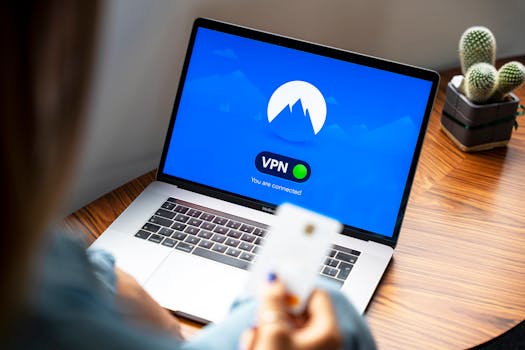
Online privacy is more important than ever in 2024. Every time you browse the web, use an app, or connect to Wi-Fi, your activity can be observed, analyzed, and tracked by a wide range of actors—from advertisers and data brokers to hackers and even your own Internet Service Provider (ISP). If you value your privacy and want to stop third parties from building a profile on your online habits, you may have heard that using a VPN can help. But how exactly does a VPN protect you against tracking, and what are its limitations? Let’s dive into how VPNs work, how they fit into the broader landscape of tracking prevention, and what steps you can take to truly shield your online behavior.
Understanding Online Tracking: Who’s Watching and How?
To appreciate how a VPN can help, it’s useful to understand the many ways your online activity can be tracked. Online tracking is a multi-billion-dollar industry, with major players employing sophisticated tools to monitor digital behavior. Here are the main types of tracking:
- $1: Every device you use online is assigned an IP address, which can reveal your location and identity. - $1: Websites deposit cookies or use your browser’s unique configuration to identify and track you across sites. - $1: Your ISP logs the sites you visit, the apps you use, and could sell this data to advertisers or hand it over to authorities. - $1: Many smartphone apps collect data about your usage and share it with third parties. - $1: Public Wi-Fi networks are often insecure, exposing your data to hackers or surveillance.A 2023 survey found that 87% of consumers are concerned about how companies use their personal data, while 60% of websites used tracking cookies by default (Source: Pew Research, Statista).
.png)
How VPNs Disrupt Tracking Mechanisms
A Virtual Private Network, or VPN, is a tool that encrypts your internet connection and routes it through a server in another location, masking your IP address and making your online activity much harder to trace. Here’s how a VPN addresses the most common tracking methods:
1. $1 When you connect to a VPN, your real IP address is replaced with one from the VPN server. This means websites, advertisers, and even your ISP see the VPN server’s IP—not yours. 2. $1 VPNs encrypt your data, making it unreadable to anyone who intercepts it (such as hackers on public Wi-Fi or even your ISP). 3. $1 Because your traffic is encrypted, your ISP can’t see which websites you visit—they only know you’re connected to a VPN server. 4. $1 VPNs let you choose a server in another country, making it appear as if you’re browsing from a different location.For example, if you are in New York and use a VPN server in Switzerland, any website you visit will think your connection originates from Switzerland—effectively hiding your real location.
VPN vs. Other Privacy Tools: A Comparison
While VPNs are powerful, they’re not the only tool available for protecting against tracking. Here’s a comparison of VPNs and other common privacy solutions:
| Feature | VPN | Browser Private Mode | Ad Blockers | Tor Browser |
|---|---|---|---|---|
| Encrypts all traffic | Yes | No | No | Yes |
| Masks IP address | Yes | No | No | Yes |
| Blocks ads/trackers | No | Some | Yes | Some |
| Prevents ISP tracking | Yes | No | No | Yes |
| Slows connection | Minimal | No | No | Often Significant |
| Easy to use on all apps | Yes | Limited to browser | Limited to browser | Browser only |
This table shows that VPNs are unique in their ability to encrypt all data and mask your IP address across your entire device, not just in your browser. However, they do not block ads or tracking scripts on their own.
Limitations of VPNs: What They Can’t Hide
While VPNs can dramatically reduce many forms of online tracking, they are not a silver bullet. Here are some important limitations to keep in mind:
- $1: A VPN doesn’t prevent websites from storing cookies or using browser fingerprinting methods, which can still track you across sessions. - $1: If you’re logged in to Google, Facebook, or Amazon, those services will continue to track your activity, VPN or not. - $1: Improperly configured VPNs may still leak DNS requests, revealing what sites you visit to your ISP or DNS provider. - $1: Not all VPNs are created equal—some keep logs of your activity. According to a 2022 Top10VPN report, about 30% of free VPNs log user data, potentially exposing you to tracking by the provider itself.This means that while a VPN is an essential privacy tool, it’s just one part of a comprehensive online privacy strategy.
Enhancing VPN Protection: Best Practices for Beating Trackers
To maximize your protection against online tracking, combine your VPN with other privacy tools and smart habits. Here are concrete steps you can take:
1. $1: Always select a reputable VPN service that has a strict no-logs policy, preferably one that’s been independently audited. In 2023, NordVPN, ExpressVPN, and ProtonVPN all passed third-party audits confirming their no-logs claims. 2. $1: Combine your VPN with browsers like Firefox or Brave, which offer built-in anti-tracking and anti-fingerprinting features. 3. $1: Use extensions like uBlock Origin, Privacy Badger, or Ghostery to block tracking scripts and cookies. 4. $1: Avoid staying logged in to major web services when browsing sensitive topics. Consider using browser containers or multiple profiles. 5. $1: Set your browser to clear cookies on exit, or manually clear them to prevent building a persistent profile. 6. $1: Many VPNs offer DNS leak protection features—make sure these are enabled in your app’s settings. 7. $1: Some advanced VPNs offer multi-hop routes, which route your traffic through multiple servers for added anonymity.By layering these protections, you make it exponentially harder for trackers to follow your digital footprint.
Real-World Impact: How VPNs Reduce Your Digital Exposure
Let’s look at some real-world numbers to illustrate the impact of using a VPN in your daily life:
- $1: A 2022 study by Mozilla found that using a VPN reduced advertisers’ ability to accurately geo-locate users by over 95%. - $1: In 2023, Norton Labs reported that 60% of public Wi-Fi hotspots were vulnerable to data interception, but using a VPN rendered data theft attempts ineffective in 98% of cases. - $1: The Electronic Frontier Foundation (EFF) notes that in the U.S., ISPs are allowed to collect and sell browsing data. Using a VPN blocks ISPs from seeing your browsing history entirely.Beyond the statistics, users report a dramatic drop in targeted ads and region-based restrictions when using a VPN, contributing to a less invasive, more open browsing experience.
Final Thoughts on Using a VPN for Tracking Protection
In a world where tracking is the default, taking proactive steps to safeguard your privacy is essential. VPNs are a powerful tool to prevent your ISP, hackers, and many websites from watching your every move. By encrypting your traffic and hiding your IP address, a VPN can break many tracking chains and help you reclaim control over your digital life.
However, VPNs are just one part of the solution. The most robust protection comes from combining a VPN with privacy-focused browsers, tracker blockers, smart browsing habits, and vigilance about the services you use. By implementing these strategies, you can significantly reduce your digital exposure and enjoy a more private, secure online experience—no matter where you go.







